Save an individual public Facebook Reel
A Reel has its own post and share link. Paste that direct URL to check whether SSSFb can access a video format for this specific Reel.
Open the Reel itself in Facebook and choose Share > Copy link. A creator profile, page or feed URL does not identify the short video you want to check.
After analysis, confirm that the result is the intended Reel and choose only an MP4 format shown for it. Available resolution depends on the public source stream.
A Reel that is private, removed or sign-in restricted cannot be retrieved. SSSFb checks one link at a time; it does not download a profile’s Reel archive.
Compatibility checked on
Reel link checks
Individual Reel URL
Identifies the short video to analyze.
Creator profile
Does not identify one Reel and is not a bulk-download input.
Audience changed
A now-restricted Reel cannot be fetched from a public-link workflow.
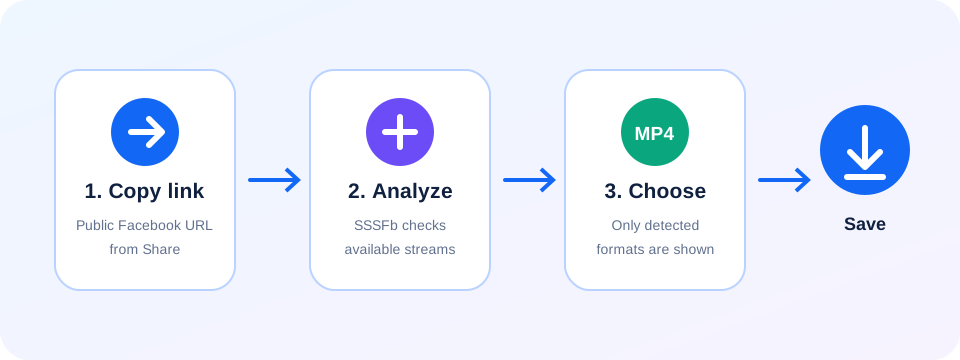
Follow the Reel’s own share link
Open the specific Reel
Go to the short video itself rather than its creator’s profile.
Copy its public URL
Choose Share > Copy link, then check that the link still opens publicly.
Match the result
Review the returned post and select an MP4 only if one is listed.
Reel availability is post-specific
- Facebook can use more than one public URL shape for Reels; what matters is whether this individual link resolves to accessible media.
- A public Reel does not guarantee that a downloadable video stream or every resolution will be exposed.
- If access changes or the creator removes the Reel, an earlier link may stop working.
Questions about individual Reels
How do I copy the link to one Reel?+
Open that Reel, use Facebook’s Share menu and copy its link. Paste the individual URL into SSSFb while the post remains public.
Can I download every Reel from a creator profile?+
No. Submit the link to each individual public Reel; profile and bulk downloads are not supported.
Why might a Reel link fail?+
The Reel may have been removed, its audience may be restricted, or Facebook may require sign-in. SSSFb does not bypass those limits.
Why are some Reel qualities missing?+
SSSFb lists the streams exposed by Facebook at analysis time. A resolution cannot be created when it is absent from the source.
Where is my Reel saved?+
Android normally saves it in Downloads. On iPhone, open Safari Downloads or the Files app, then use Share and Save Video if you want it in Photos.
Are Reels handled like profile downloads?+
No. SSSFb checks a Reel URL you submit; it does not crawl a profile or collect its posts.
Does every Reel include audio in the saved file?+
Not necessarily. Audio depends on the stream available for that Reel and the format shown in the result.