Save a public Facebook video from a desktop browser
On a computer, the browser handles the download and its destination. Copy the address of one public Facebook video post, check it in SSSFb, and save only a format that appears for that source.
Open the video post itself on Facebook and copy its address, or use Share > Copy link when available. Paste the post URL into SSSFb in Chrome, Firefox, Edge, Safari or another current desktop browser.
Check the formats returned for that post before downloading. Resolution depends on the accessible source; using a computer does not add a format that Facebook did not expose.
After starting a listed option, use the browser’s Downloads panel to check progress and open the destination. The default is commonly the system Downloads folder, unless you changed the browser setting.
Compatibility checked on
The browser—not SSSFb—chooses the save location
Desktop browser
Chrome, Firefox, Edge and Safari can manage the file using their regular download flow.
Downloads panel
Shows progress and usually offers a way to reveal the saved file.
Downloads folder
The common default destination; browser settings may specify another folder.
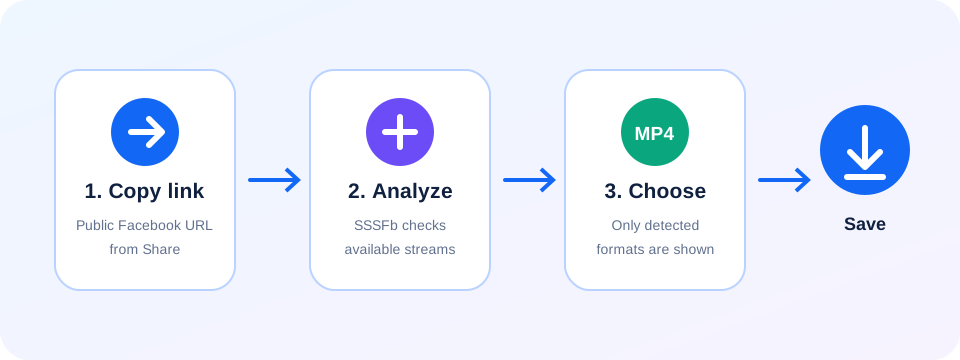
Use the browser’s download panel to track the file
Copy the video-post address
Use the page for the individual public video. A profile URL does not identify which video to check.
Review the returned options
Paste the address into SSSFb and choose a format listed for that particular post.
Locate it in Downloads
Open the browser’s Downloads panel to check progress, resume if offered, or show the saved file in its folder.
When a desktop download does not finish
- Chrome, Firefox, Edge and Safari each maintain their own download list and may show a confirmation or security notice.
- If the file is missing, check the panel and configured destination before starting another download.
- An interruption can also result from a lost connection or insufficient disk space; SSSFb does not control those browser or computer settings.
Desktop browser download questions
0+
Does this require a Chrome extension?
1+
No. Open SSSFb in a browser and use its built-in download handling.
2+
Why can the same link behave differently in another browser?
3+
Browser settings, operating-system prompts and available source formats can differ; the result reflects what is accessible during each check.
4+
What should I check if the download stops?
5+
Look for a pending confirmation or browser warning, check the Downloads panel and available disk space, then retry only after the first request has ended.
Do I need software on PC or Mac?+
No. The analysis and download start in a modern browser; the finished file is stored in your Downloads folder.