Download a public Facebook video with Safari on iPhone
On iPhone, Safari downloads the file first. Copy the link to a public Facebook video post, check the options in SSSFb using Safari, then locate the finished file in Safari Downloads or Files. Photos is a separate step.
In Facebook, open the specific video post and choose Share > Copy link if available. In Safari, open SSSFb, paste that link and choose only a format shown in the result.
Watch Safari’s download indicator for progress. When it completes, open Files and check Downloads under iCloud Drive or On My iPhone, depending on the location selected in iOS settings.
To put a compatible video in Photos, open the file’s Share sheet and use Save Video only if iOS offers it. A file in Files is not automatically added to Photos.
Compatibility checked on
Which iPhone app handles each step?
Copies the share link for the individual public post.
Safari
Runs SSSFb and manages the browser download.
Files, then optionally Photos
Files stores the download; Photos requires a compatible file and an iOS Save Video action.
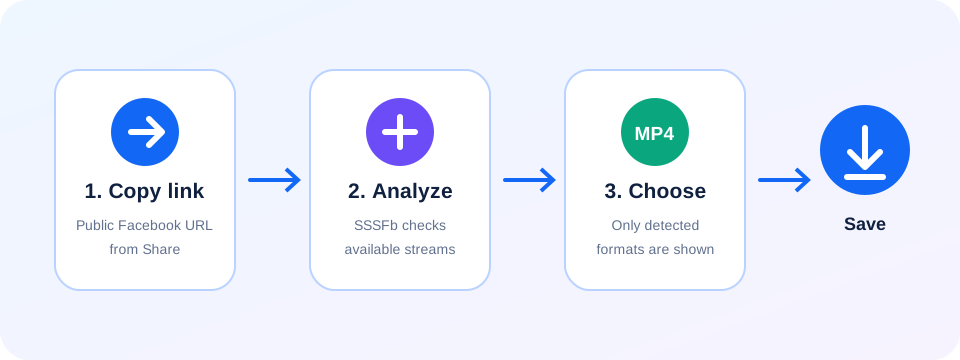
Follow the file from Safari into Files
Copy the post URL
Open the individual public video in Facebook and use Share > Copy link if available.
Start in Safari
Paste the URL into SSSFb and select an option returned for that source.
Find it before sharing
Check Safari’s download indicator, then Files > Downloads. Use Save Video only if iOS provides that option.
Files and Photos are not the same destination
- Safari uses the Downloads location selected in iOS settings; look under iCloud Drive or On My iPhone in Files.
- The browser does not automatically import a downloaded file into the Photos library.
- If Save Video is not offered, leave the file in Files. SSSFb cannot add an iOS action that the file or operating system does not support.
Safari and iPhone file handling
0+
Do I need an iPhone downloader app?
1+
No separate SSSFb app is required for the browser workflow described here.
2+
Why is Save Video missing from Share?
3+
iOS offers that action only for compatible files; SSSFb cannot add unsupported file actions.
4+
Safari opened a preview instead of a download—what now?
5+
Use Safari’s download control or the Share sheet if available, then check the Downloads list. The available actions depend on iOS and the returned file type.
Why is the video in Files instead of Photos?+
Safari downloads files to the configured Downloads folder. Open the file, tap Share and choose Save Video when iOS supports its format.