Download a public Facebook video on Android
On Android, Facebook provides the post link; your browser handles the file. Copy the link to one public video, check the options in SSSFb, then look in the browser’s downloads or your Files app.
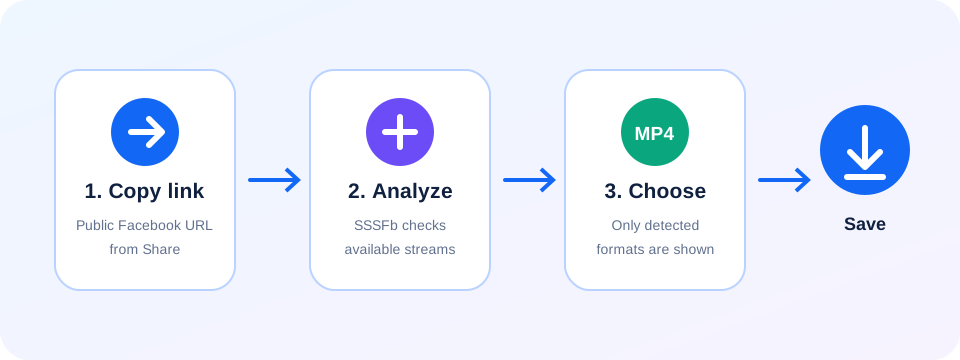
Open the video post in Facebook and tap Share, then Copy link if that action is available. Switch to Chrome or another browser, open SSSFb and paste the post URL—not a profile address.
Review the formats returned for that post and select one that is actually listed. If Android or the browser asks you to confirm the download, check that it matches the file you just requested.
When it finishes, open the browser’s Downloads screen or the Files app and check Downloads. The exact folder label can vary by Android version, device and browser settings.
Compatibility checked on
What each Android app does
Opens the post and supplies its share link when Copy link is available.
Chrome or another browser
Opens SSSFb, checks the URL and manages the download prompt and progress.
Files or Downloads
Shows the saved file; folder names and Gallery behavior depend on the device.
The Android path: Facebook, browser, Downloads
Copy the individual post link
In Facebook, open the public video and use Share > Copy link when available.
Check it in your browser
Paste the link into SSSFb in Chrome or another Android browser; choose only a returned option.
Locate the completed file
Check the browser’s Downloads list, then Files > Downloads if you need to open or move it.
If Android does not show the file
- Look at the browser notification or download history before starting another request; the first file may still be processing.
- Check available storage, connection and any pending browser confirmation if the file is incomplete.
- A downloaded file may stay in Downloads rather than appear in Gallery. Moving it is an Android file-management step, not a SSSFb feature.
Android save-location questions
0+
Does SSSFb save directly to Gallery?
1+
The browser saves the returned file. Its location and any Gallery visibility depend on your browser and Android device.
2+
Can I choose a file type that is not listed?
3+
No. Only formats shown after analysis are available for that source.
4+
Why can’t SSSFb check the link?
5+
The post must be publicly accessible and still available. A private post, removed video or link that requires sign-in may not expose a usable file.
Where are Facebook videos saved on Android?+
Usually in the Downloads folder, accessible from Files, Files by Google or Samsung My Files.