SSSFB
Scarica Reels da Facebook
Scarica Reels Facebook pubblici in MP4 con la migliore qualità disponibile.
Copy the link to a public Facebook Reel, paste it into SSSFb and choose the available MP4 quality. The tool works in modern browsers without an app or account.
Facebook Reels can be saved on Android, iPhone, Windows, macOS and tablets. Available resolutions depend on the quality published by the creator.
Only download public Reels you own or have permission to save. Private, deleted and restricted Reels cannot be processed.
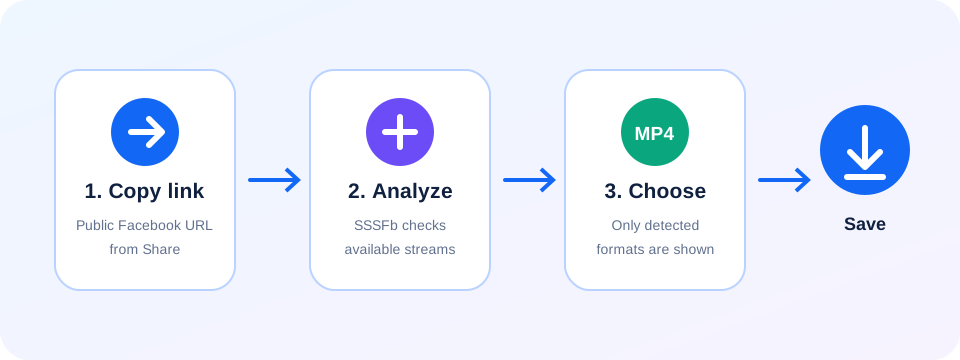
Guida pratica per scaricare da Facebook: Scarica Reels da Facebook
- Copy the link to a public Facebook Reel, paste it into SSSFb and choose the available MP4 quality. The tool works in modern browsers without an app or account.
- Facebook Reels can be saved on Android, iPhone, Windows, macOS and tablets. Available resolutions depend on the quality published by the creator.
- Only download public Reels you own or have permission to save. Private, deleted and restricted Reels cannot be processed.
Cosa controllare prima del download
- Il link deve aprirsi senza accedere a Facebook; i post privati o riservati agli amici non sono supportati.
- HD, 1080p, 2K o 4K compaiono solo quando Facebook rende disponibile quella qualità nella sorgente.
- Su Android cerca in Download; su iPhone controlla i download di Safari o l’app File.
Frequently asked questions
How do I download a Facebook Reel?+
Copy the public Reel link, paste it into SSSFb and select an available MP4 format.
Can I save Facebook Reels on mobile?+
Yes. SSSFb works in modern Android and iPhone browsers.
Are private Facebook Reels supported?+
No. Only publicly accessible Reel URLs can be analyzed.