SSSFB
Facebook 릴스 다운로드
공개 Facebook 릴스를 사용 가능한 최고 화질의 MP4로 저장하세요.
Copy the link to a public Facebook Reel, paste it into SSSFb and choose the available MP4 quality. The tool works in modern browsers without an app or account.
Facebook Reels can be saved on Android, iPhone, Windows, macOS and tablets. Available resolutions depend on the quality published by the creator.
Only download public Reels you own or have permission to save. Private, deleted and restricted Reels cannot be processed.
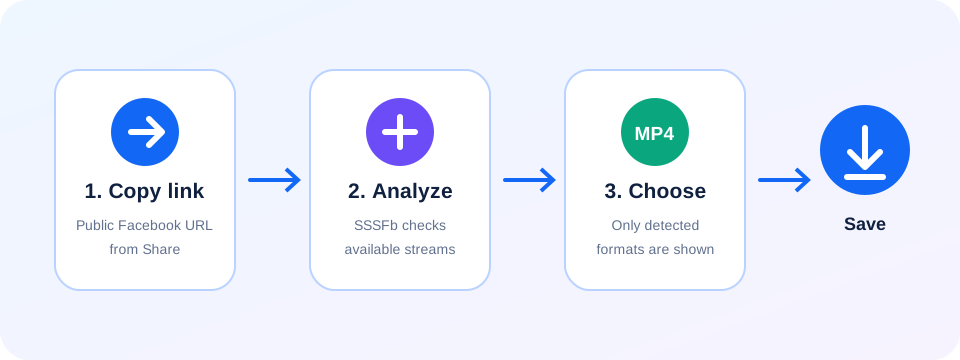
한국 사용자를 위한 Facebook 저장 안내: Facebook 릴스 다운로드
- Copy the link to a public Facebook Reel, paste it into SSSFb and choose the available MP4 quality. The tool works in modern browsers without an app or account.
- Facebook Reels can be saved on Android, iPhone, Windows, macOS and tablets. Available resolutions depend on the quality published by the creator.
- Only download public Reels you own or have permission to save. Private, deleted and restricted Reels cannot be processed.
다운로드 전 확인 사항
- Facebook에 로그인하지 않고 열리는 공개 링크만 처리할 수 있으며 비공개 또는 친구 전용 게시물은 지원되지 않습니다.
- HD, 1080p, 2K, 4K는 Facebook 원본에서 해당 화질을 제공할 때만 표시됩니다.
- Android에서는 다운로드 폴더, iPhone에서는 Safari 다운로드 또는 파일 앱을 확인하세요.
Frequently asked questions
How do I download a Facebook Reel?+
Copy the public Reel link, paste it into SSSFb and select an available MP4 format.
Can I save Facebook Reels on mobile?+
Yes. SSSFb works in modern Android and iPhone browsers.
Are private Facebook Reels supported?+
No. Only publicly accessible Reel URLs can be analyzed.