SSSFB
Facebook Reelsをダウンロード
公開Facebook Reelsを利用可能な最高画質のMP4で保存します。
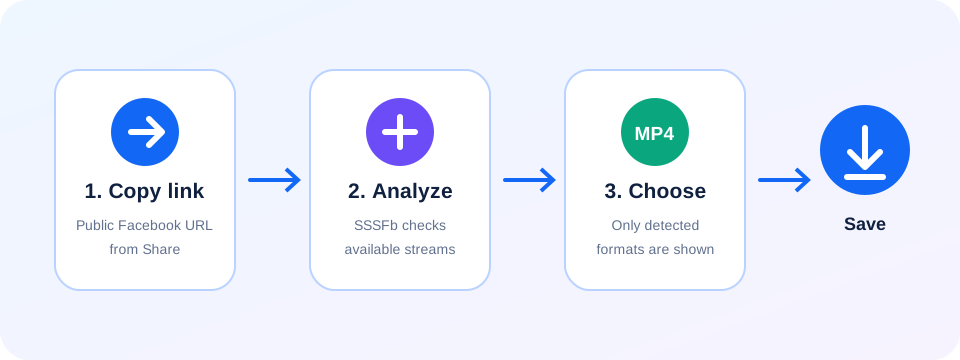
Copy the link to a public Facebook Reel, paste it into SSSFb and choose the available MP4 quality. The tool works in modern browsers without an app or account.
Facebook Reels can be saved on Android, iPhone, Windows, macOS and tablets. Available resolutions depend on the quality published by the creator.
Only download public Reels you own or have permission to save. Private, deleted and restricted Reels cannot be processed.
日本向けFacebook保存ガイド: Facebook Reelsをダウンロード
- Copy the link to a public Facebook Reel, paste it into SSSFb and choose the available MP4 quality. The tool works in modern browsers without an app or account.
- Facebook Reels can be saved on Android, iPhone, Windows, macOS and tablets. Available resolutions depend on the quality published by the creator.
- Only download public Reels you own or have permission to save. Private, deleted and restricted Reels cannot be processed.
ダウンロード前の確認事項
- リンクはFacebookにログインせず公開状態で開ける必要があります。非公開や友達限定の投稿は処理できません。
- HD、1080p、2K、4Kは、元動画でFacebookがその画質を提供している場合にのみ表示されます。
- Androidでは「ダウンロード」、iPhoneではSafariのダウンロードまたは「ファイル」アプリを確認してください。
Frequently asked questions
How do I download a Facebook Reel?+
Copy the public Reel link, paste it into SSSFb and select an available MP4 format.
Can I save Facebook Reels on mobile?+
Yes. SSSFb works in modern Android and iPhone browsers.
Are private Facebook Reels supported?+
No. Only publicly accessible Reel URLs can be analyzed.