SSSFB
ดาวน์โหลด Reels จาก Facebook
ดาวน์โหลด Facebook Reels สาธารณะเป็น MP4 ด้วยคุณภาพดีที่สุดที่มี
Copy the link to a public Facebook Reel, paste it into SSSFb and choose the available MP4 quality. The tool works in modern browsers without an app or account.
Facebook Reels can be saved on Android, iPhone, Windows, macOS and tablets. Available resolutions depend on the quality published by the creator.
Only download public Reels you own or have permission to save. Private, deleted and restricted Reels cannot be processed.
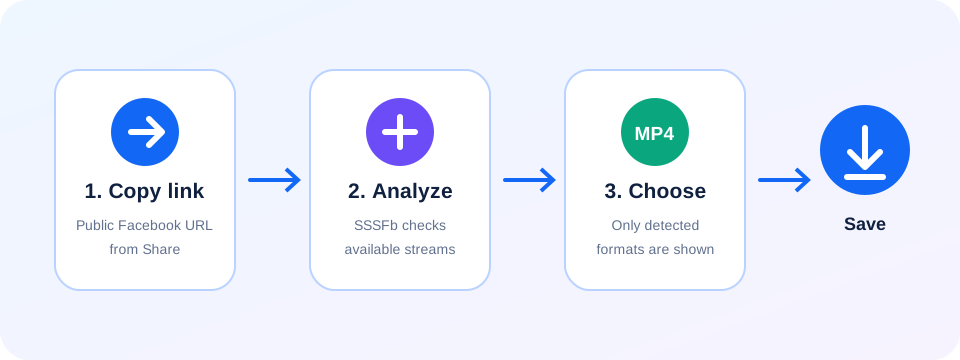
คู่มือดาวน์โหลด Facebook สำหรับผู้ใช้ไทย: ดาวน์โหลด Reels จาก Facebook
- Copy the link to a public Facebook Reel, paste it into SSSFb and choose the available MP4 quality. The tool works in modern browsers without an app or account.
- Facebook Reels can be saved on Android, iPhone, Windows, macOS and tablets. Available resolutions depend on the quality published by the creator.
- Only download public Reels you own or have permission to save. Private, deleted and restricted Reels cannot be processed.
สิ่งที่ควรตรวจสอบก่อนดาวน์โหลด
- ลิงก์ต้องเปิดได้โดยไม่ต้องเข้าสู่ระบบ Facebook โพสต์ส่วนตัวหรือเฉพาะเพื่อนไม่รองรับ
- HD, 1080p, 2K หรือ 4K จะแสดงเมื่อ Facebook มีคุณภาพนั้นในวิดีโอต้นฉบับเท่านั้น
- Android ให้ดูในโฟลเดอร์ดาวน์โหลด ส่วน iPhone ให้ดูรายการดาวน์โหลด Safari หรือแอปไฟล์
Frequently asked questions
How do I download a Facebook Reel?+
Copy the public Reel link, paste it into SSSFb and select an available MP4 format.
Can I save Facebook Reels on mobile?+
Yes. SSSFb works in modern Android and iPhone browsers.
Are private Facebook Reels supported?+
No. Only publicly accessible Reel URLs can be analyzed.